
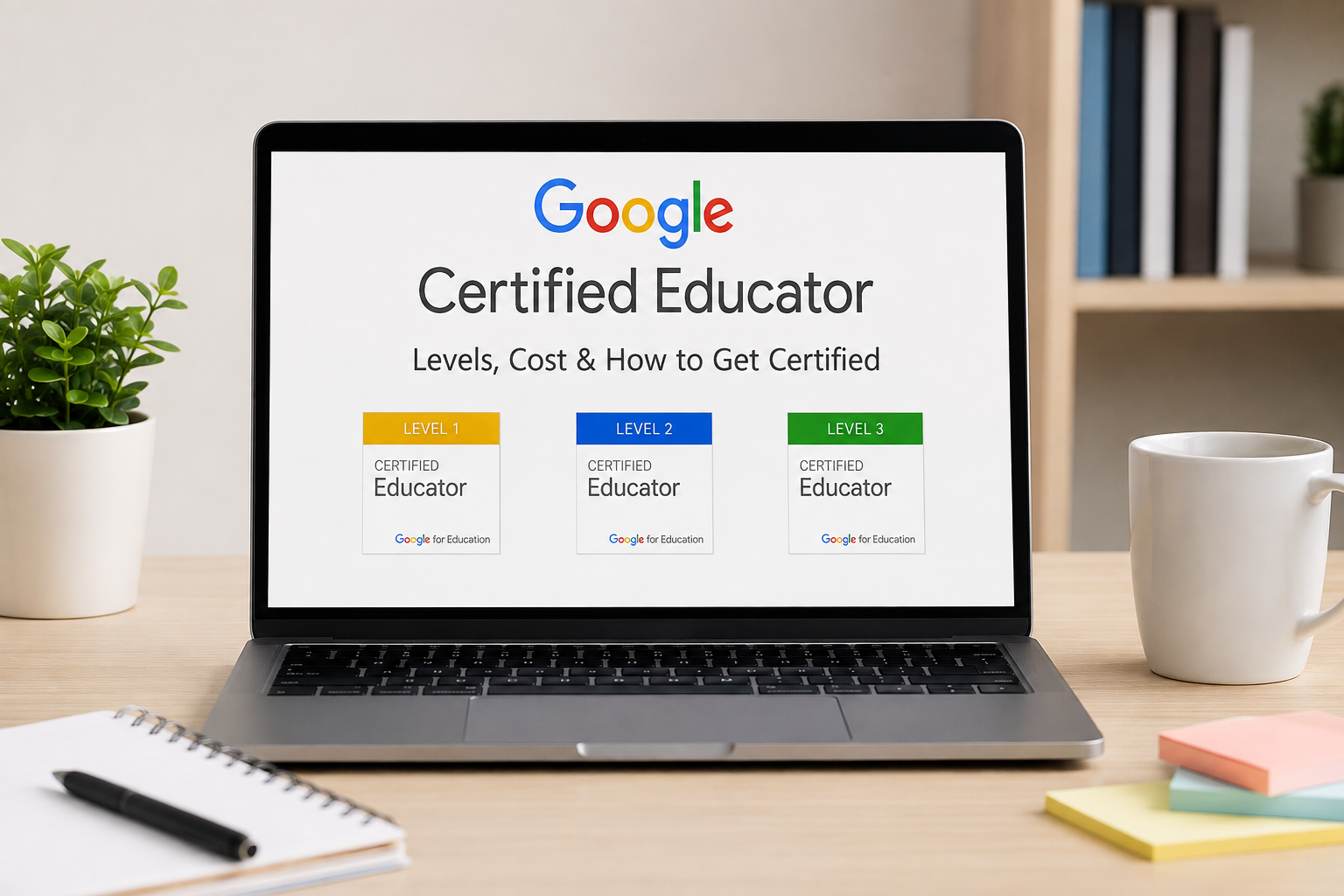

Did you know that worldwide, only 85 million teachers hold a Google certification? Yet it is one of the fastest and easiest ways to stand out in today’s teaching world. If you are still searching “how do I get certified” while other teachers already list “Google Certified Educator” on their resume, you are losing valuable time. Schools notice it, hiring panels reward it, and certification costs and rules keep changing. And it means the more you wait, the more the chances are increasing of missing a free offer completely.
But there is no need to worry, as this guide will let you know about every aspect of it. Everything is covered, starting from basic information to costs and all steps involved in certification process, all in one sheet of paper.
Who Is a Google Certified Educator?
A Google Certified Educator can be defined as an educator or technologist that has taken an online examination for practical knowledge of Google Workspace products. Google introduced this program through its subsidiary, Google for Education. The goal was simple: move past basic computer literacy and test whether teachers can actually use digital tools to run a classroom smoothly. Passing shows you can build self-grading quizzes, manage digital assignments help, and keep student communication secure.
[ Free Teacher Center Study Modules ]
│
▼
[ Kryterium Webassessor Account ]
│
▼
[ 180-Minute Scenario-Based Exam ]
│
┌─────────────┴─────────────┐
▼ ▼
[ Pass (80%+ Score) ] [ Fail (14-Day Wait) ]
│ │
▼ ▼
[ Digital Badge Sent ] [ Paid Retake Attempt ]
After passing, Google will send you a digital badge with a personal PDF certificate. The badge can be placed on your resume as part of your accomplishments, linked as part of your professional bio on your school website, or added into your email signature for visibility
Aside from just receiving the badge and its related certificate, the great value you can get from the Google Certified Teacher program is saving time by learning the shortcuts within Google Apps like Docs, Classroom, Forms, Slides, Drive, and Meet. You can stop the routine of starting things from scratch every day.
Google Certified Educator Levels Explained
Google divides its teacher credentials into two levels. Deciding the appropriate level of the exam you are going to take can not only prevent you from reusing the same topics that you have thoroughly discussed already but will also protect your time from getting lost on them. And to mention, you can quite effortlessly stay away from a retake fee (in case a retake is necessary after the initial attempt, which was due to your own unpreparedness).
LEVEL 1: FUNDAMENTALS
Target: Basic Workspace Users
Focus: Efficiency & Daily Management
Fee: $10 USD | Length: 180 Mins
│
│ (Recommended Progression)
▼
LEVEL 2: ADVANCED
Target: Experienced Tech Users
Focus: Interactive Integration & Design
Fee: $25 USD | Length: 180 Mins
Google Certified Educator Level 1
Level 1 covers the basics of teachers’ technology and classroom management using technological means.
- This is what you need to pass if you mainly use paper printed whiteboards but would like to reduce time spent on administrative chores in schools and organize communication at home using technological means provided by schools.
- The Level 1 examination takes 180 minutes, and the cost is $10.
- GCE Level 1 certificate valid for 3 years.
- The certificate is not conditional upon the candidates passing certain subjects but upon the passing of the exam.
GCE Level 1 covers the basic skills required for a classroom:
Introduce your students to Google Classroom and show them how to work with the different features, how to schedule assignments, etc.
Using Google Forms, you will create self-assessment quizzes and get the students’ feedback.
- Managing access to folders, arranging shared drives, and limiting file visibility are the main things that can be done here.
- Communication with the school community and student groups via Gmail/Google Groups management.
- Create collaborative activities among students on Google Docs/Slides.
- Dedication to design and development in Level 2
- In Level 2, we focus more on designing lessons than on administrative work.
This level is intended for teachers who can be described as being in possession/running daily Google tools and would like to offer students creative, cross-tool-based projects.
Target Audience: Intermediate to advanced tech users at school level
- The Level 2 test takes 180 minutes, its cost is $25.
- Validity of the certificate: 3 years
- If you skip Level 1, chances are that registration will fail.
Core skills tested in Level 2 involve deeper tool integration:
- Class website creation using Google Sites for a portfolio or project website.
- Using conditional formatting, sparklines, and functions in Google Sheets for performance analysis.
- Integration of media through the use of YouTube videos, Google Earth tours and Google Arts & Culture.
- Scheduling of teachers’ tasks and lesson schedules using Google Keep and Google Calendar integration.
Level 1 Vs Level 2 – Quick Comparison Chart
Knowing about these two levels is kind of a cornerstone for the entire process. However, in order to get a broader picture, you need to check the difference in parallel mode. So here’s how the two tests compare to each other.
| Feature | Level 1 (Fundamentals) | Level 2 (Advanced) |
| Primary Goal | Streamline administrative work and daily class flows | Create interactive lessons and connect multiple apps |
| Exam Fee | $10 USD | $25 USD |
| Time Limit | 180 minutes | 180 minutes |
| Recommended Experience | 3 to 6 months of regular Google Workspace use | 1+ years of active digital instruction |
| Key Tools Tested | Classroom, Docs, Drive, Forms, Slides, Gmail | Sites, Earth, Keep, Advanced Sheets, YouTube, Calendar |
| Exam Focus | Mechanics and individual tool settings | Problem-solving scenarios across multiple apps |
| Retake Fee | Full fee ($10 USD) | Full fee ($25 USD) |
How to Become a Google Certified Educator (Step-by-Step)
You do not need to pay for expensive third-party prep courses. You can complete the whole process independently using official resources.
┌────────────────────────────────────────────────────────┐
│ 1. Pick a Personal Google Account (Not your school email)│
└───────────────────────────┬────────────────────────────┘
│
▼
┌────────────────────────────────────────────────────────┐
│ 2. Work Through Free Google Teacher Center Modules │
└───────────────────────────┬────────────────────────────┘
│
▼
┌────────────────────────────────────────────────────────┐
│ 3. Check Off Skills on the Unit Review Checklists │
└───────────────────────────┬────────────────────────────┘
│
▼
┌────────────────────────────────────────────────────────┐
│ 4. Take Module Knowledge Checks & Free Mock Reviews │
└───────────────────────────┬────────────────────────────┘
│
▼
┌────────────────────────────────────────────────────────┐
│ 5. Register & Pay via the Kryterium Webassessor Portal │
└───────────────────────────┬────────────────────────────┘
│
▼
┌────────────────────────────────────────────────────────┐
│ 6. Complete the 180-Minute Exam & Get Your Certificate │
└───────────────────────────┴────────────────────────────┘
Step 1: Pick a Personal Google Account
Figuring out which Google account is going to house your Google for Education credential before you do anything else is a good idea. Signing up for a Google Teacher Center account, which is essentially your digital Google profile, takes you to decide which Google account will be the official one, since Google allows multiple accounts and each can represent a different entity such as school family organization, etc.
We highly recommend using your regular Gmail account instead of your school email as it is your personal email you will be the one to manage. Once you get a new job, your employer will most likely give you a new company email that you have to start using, and because of this, you lose access to your old work email. As you can see, transferring credentials later needs working through Google support tickets, which may not just take up a lot of time but also not result in a solution at all. By the use of a personal account, your badges will still be in their places when your career is changing from one place or country to another.
Step 2: Free Google Teacher Center Courseware
The courses are provided online as a free, self-paced offering. Google Teacher Center platform inside Skillshop.
Fundamentals Training (Level 1): Covers 13 units and takes about 13 hours to finish.
Advanced Training (Level 2): Covers 9 units and takes roughly 11 hours.
Make sure not to read it as you skim over your work. Instead, open in a different window your own Google Workspace and practice each activity that you read so you will know where to go later without much effort.
Step 3: The Unit Review Checklist
The checklist at the end of each unit should be completed once you finish the modules. Ensure you are able to do things like creating a Gmail filter, or set a custom start time for an embedded YouTube video inside Google Slides, or restrict your Google Form so it will only accept response from your specific domain very comfortably and confidently.
Step 4: Take Module Knowledge Checks and Free Mock Reviews
Test your readiness using the review questions at the end of every chapter. Running a web search for a Google certified educator level 1 practice test offers a solid preview of how test scenarios are phrased. Use practice tests strictly for self-assessment.
Searching for Google certified educator level 1 exam answers or relying on leaked answer dumps breaks Google’s Academic Integrity Policy. Accounts caught using leaked materials lose their badges permanently and face a ban from taking future Google certifications.
Step 5: Register and Pay via Kryterium Webassessor
Sign up on the Google for Education certification portal (hosted by Kryterium Webassessor) when your practice check scores look solid.
- Set up your account.
- Choose Level 1 ($10) or Level 2 ($25).
- Enter your payment details.
Your exam voucher code generates immediately after payment. You get up to 8 days to launch your exam before the voucher code expires.
Step 6: Complete the 180-Minute Exam and Get Your Certificate
Book three hours of quiet time with a reliable Wi-Fi connection. The processing of your grade happens instantaneously once you click on submit. Emails are sent for both passes and fails usually within a few hours, but during busy testing periods, it may take up to 14 working days. For those who passed, there will be links for downloading the badge and certificate.
Exam Price, Format, and Test Preparation
A better insight into the Google Certified Educator Badge is helpful to know the exam policy in advance.
Actual Financial Costs
| Item | Level 1 | Level 2 | Notes |
| Exam Registration Fee | $10 USD | $25 USD | Paid on the Webassessor platform |
| Official Prep Materials | Free | Free | Available on Google Teacher Center |
| Retake Fee (Attempt 2) | $10 USD | $25 USD | Applies if you do not pass attempt 1 |
| Renewal Fee (Every 3 Yrs) | $10 USD | $25 USD | Requires passing the active exam version |
Testing Format and Rules
This test takes place in a secure web browser environment. This is what you need to know:
- Question Types: There are multiple choice, multiple select (selecting 2 or 3 correct answers), and scenario-based drag and drop questions.
- Open Book: During the test, you may open other tabs and verify settings within Google Workspace apps. However, you should not be completely dependent on search for answers. 3 hours goes very fast when you are spending them looking for answers in help forums.
- Passing Grade: Passing grade lies at about 80%. Google does not give numerical scores or any question-by-question results; you will receive just “Pass” or “Fail”.
- Retake Policy: Your failure to pass results in obligatory 14 days of waiting before retaking the test, the next failure – 60 days of waiting, and the third one – 365 days. Every attempt requires paying the full exam fee again.
4 Real Classroom Scenarios Tested on the Exam
Most study guides will end once the exam guidelines have been stated. Below are examples of actual scenarios which often occur in exams and puzzle candidates:
Scenario 1: Preventing Duplicates in Quiz Responses
- Problem: Students share quiz URLs with other students from different periods or complete quizzes using fake names.
- Solution: Go to the Google Forms Settings, select “Collect email addresses”, activate “Limit to 1 response” and “Restrict to users in [Your District]”.
- For math or science short answers, use Response Validation to require numbers falling within a specific range.
Scenario 2: Archiving Classes Without Ruining Student Drive Files
- The Challenge: Teachers often hit delete on old Google Classrooms in June to clear their dashboards. Doing this breaks shared student drive links and deletes assignment templates.
- The Fix: Skip the delete button. Click the three dots on the class card and hit Archive. Archiving removes the card from active student views while leaving every file, submission, and grade accessible inside your Google Drive.
Scenario 3: Managing Group Projects When Someone Erases Text
- The Challenge: A student accidentally wipes out two paragraphs of group work right before a project is due.
- The Fix: Show students how to use Version History (File > Version history > See version history). You can name specific draft points and restore earlier versions in one click without losing comments.
Scenario 4: Assigning Different Reading Levels Discretely
- The Challenge: Handing out different reading passages to specific student groups often points out struggling readers to the rest of the room.
- The Fix: Start a task in Google Classroom, but uncheck ‘All Students’, and only check those 5 or 6 students that require that particular passage. Google Classroom will then publish the task directly into the feeds of those specific students without the knowledge of the other members of the class
Why Becoming a Google Certified Educator Is Worth It
Spending a few hours preparing brings clear long-term returns to your work life and some of the are listed below. Check out all these list and make sure to know where this decision will lead you.
- Gain more personal time each Week: If you perfect automated grading, template sharing, and keyboard shortcuts, you can get back 3 to 5 hours of personal time every week. It makes you a better educator: the main focus of hiring committees is to find technically competent teachers as candidates for interviews or team lead selections. The badge offers concrete proof of modern classroom management skills.
- Facilitates Higher Certification Paths: Completing Level 1 and Level 2 creates the base for higher certification paths. Having completed both of these, you will be eligible for programs like the Google Certified Trainer (paid teacher training workshops) or the Google Certified Innovator (large-scale education projects).
- Provides Connections to Local Educator Communities: By becoming certified, you become part of local communities of Google Educators (GEGs). Being part of such a community provides access to lesson plans, technology solutions, and ideas from real teachers.
Conclusion
Being a Google Educator is still among the cheapest ways to improve your teaching skills. Your study resources are free, the test takes only three hours, and all the skills that you will acquire simplify your daily routine.
To start, do a review of the free Level 1 modules at the Google Teacher Center within this week. Create a test class, practice assigning tasks, and then sign up for your test after getting 80% in your module tests. To get more information about ed-tech, read our latest posts on techfynix.com.
Frequently Asked Questions
What is a Google Certified Educator?
A Google Certified Educator is a teacher or educational professional who has passed an official online exam proving their ability to use Google Workspace tools in learning environments.
How do I become a Google Certified Educator?
You get certified by working through the free Google Teacher Center modules, setting up a Kryterium Webassessor account, and passing the 180-minute exam with a score of 80% or higher.
Is Level 1 or Level 2 harder?
Level 2 carries much higher difficulty. Level 1 covers basic tool settings and daily class organization, while Level 2 tests multi-app setups, interactive lesson designs, and tools like Google Sites and Google Keep.
How much does the exam cost?
The Level 1 exam costs $10 USD and the Level 2 exam costs $25 USD. Both certificates stay valid for three years from your pass date.
