

You reset a phone, and suddenly it is asking for a Google account you do not remember. That single screen has sent thousands of people searching for an addrom bypass this month alone.
Before you download anything, it helps to know what this tool actually does, why your phone is locked in the first place, and what separates a safe use case from a risky one. This guide walks through all of it in plain language.
What Is AddROM Bypass?
AddROM bypass is a method, and a set of tools, built around removing the Google account check that Android shows after a factory reset. People usually reach for it the moment that screen will not let them past.
The term covers more than one approach. Some versions work through a connected computer, others through an app on a second device, and some promise a direct fix with no extra hardware at all.
The tool is only half the story. Why the lock showed up in the first place matters more.
That is really the heart of this guide. An addrom bypass can solve a real problem, but only when the person using it is the true owner of the phone.
Why Factory Reset Protection Exists
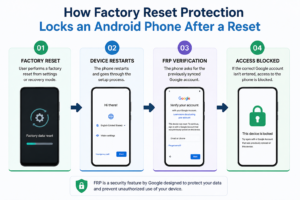
Factory Reset Protection, known as FRP, was not built to annoy anyone. Google added it as a built-in theft deterrent a few years back, and most Android phones now ship with it turned on by default.
Here is the short version of how it works.
| Step | What happens |
| 1 | A Google account is signed into the phone |
| 2 | The phone is wiped or factory reset, by the owner or someone else |
| 3 | Setup asks for the same Google account before the phone can be used again |
| 4 | Without that account, the phone stays locked |
This small loop is the reason a stolen phone is far less useful to a thief than it used to be. It is also the reason a confused but honest owner sometimes gets stuck too.
Common Reasons People Search for an AddROM FRP Bypass
Not every search for addrom frp bypass comes from the same situation. A few patterns show up again and again.
- Someone forgot the password to their own long-used Google account.
- A phone was bought secondhand and the last owner never removed their account.
- A repair shop is testing or restoring a device with the current owner standing right there.
- A family member passed down an old phone and never logged out first.
Each of these is a fair reason to look for a fix. What ties them together is simple: the person searching actually owns, or has clear permission to use, the device.
Where That Line Gets Blurry
There is a flip side worth being honest about. The same search term also gets used by people trying to unlock a phone that is not theirs, including devices that were lost or taken without permission.
That one difference, ownership, changes everything about whether using a bypass tool is reasonable or not.
| Situation | Is a bypass reasonable? |
| Your own phone, forgotten account | Yes, with proof of purchase handy |
| Secondhand phone, seller still reachable | Ask the seller to remove their account first |
| Found or unclear-origin device | No, report it instead |
| Repair shop job with owner present | Yes, as part of a normal service |
AddROM Bypass on Motorola and Other Devices
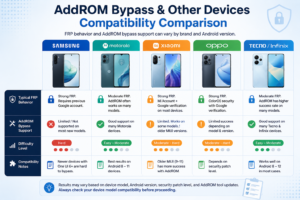
Search volume for addrom bypass motorola and similar brand searches tells its own story. Compatibility is not one-size-fits-all.
A few things shift the outcome from phone to phone.
- Android version installed on the device
- The security patch level, since newer patches close older bypass paths
- Whether the manufacturer has added its own account lock layer
- Carrier-specific firmware, which behaves differently than unlocked models
A method that works cleanly on one Motorola model can fail entirely on a Samsung or Pixel running a newer build. This is one reason generic promises of a guaranteed bypass deserve a skeptical eye.
What to Check Before Using Any Bypass Tool
A little caution here saves a lot of trouble later. Run through this short list first.
- Confirm you are the rightful owner, or have the seller’s clear consent.
- Keep a receipt or order confirmation on hand if you have one.
- Check the phone’s IMEI has not been reported lost or stolen.
- Look closely at where any tool or file is coming from.
- Read reviews or reports on the specific tool before installing anything.
Skipping these steps is how people end up with more problems than they started with, sometimes a locked phone, sometimes something worse on their computer.
Risks Worth Knowing About
An addrom bypass is not free of downsides, even when the device genuinely belongs to you.
Free tools promising a Google bypass are one of the more common places people run into unwanted software.
Three risks come up most often.
- Unofficial files. APKs and tools from unverified sources can carry hidden malware alongside whatever they promise to do.
- Device instability. Some bypass methods interfere with normal updates or leave the phone glitchy afterward.
- Legal exposure. Bypassing a lock on a device that is not yours, even unknowingly, can create real legal trouble.
None of this means every bypass tool is dangerous. It means the source and the situation both deserve a careful look before you proceed.
A Safer Path: Official Recovery First
Before reaching for a third-party addrom bypass, it is worth trying Google’s own recovery route. It is built for exactly this situation.
- Try Google’s Account Recovery page using any device with a browser.
- Answer the recovery questions as closely as you can, old passwords included.
- Check your email and phone number tied to the account for a reset link.
- If recovery fails, contact your phone’s manufacturer with proof of purchase.
- Ask your carrier for help if the phone was bought through them.
This route takes a little longer than a one-click tool, but it carries far less risk and keeps your account fully in your control.
Bringing It All Together
A real fix for a frustrating situation, a reset phone locked behind an account you can’t reach, an addrom bypass. The instrument itself is not the complete answer.
The most important thing is getting ownership confirmed, trying the official recovery first, and being mindful where any bypass tool or file genuinely originates from. That combo keeps you safe and keeps the phone genuinely yours.
For further help on other setup and account issues, check out more Android troubleshooting tutorials on Techfynix.com.
