
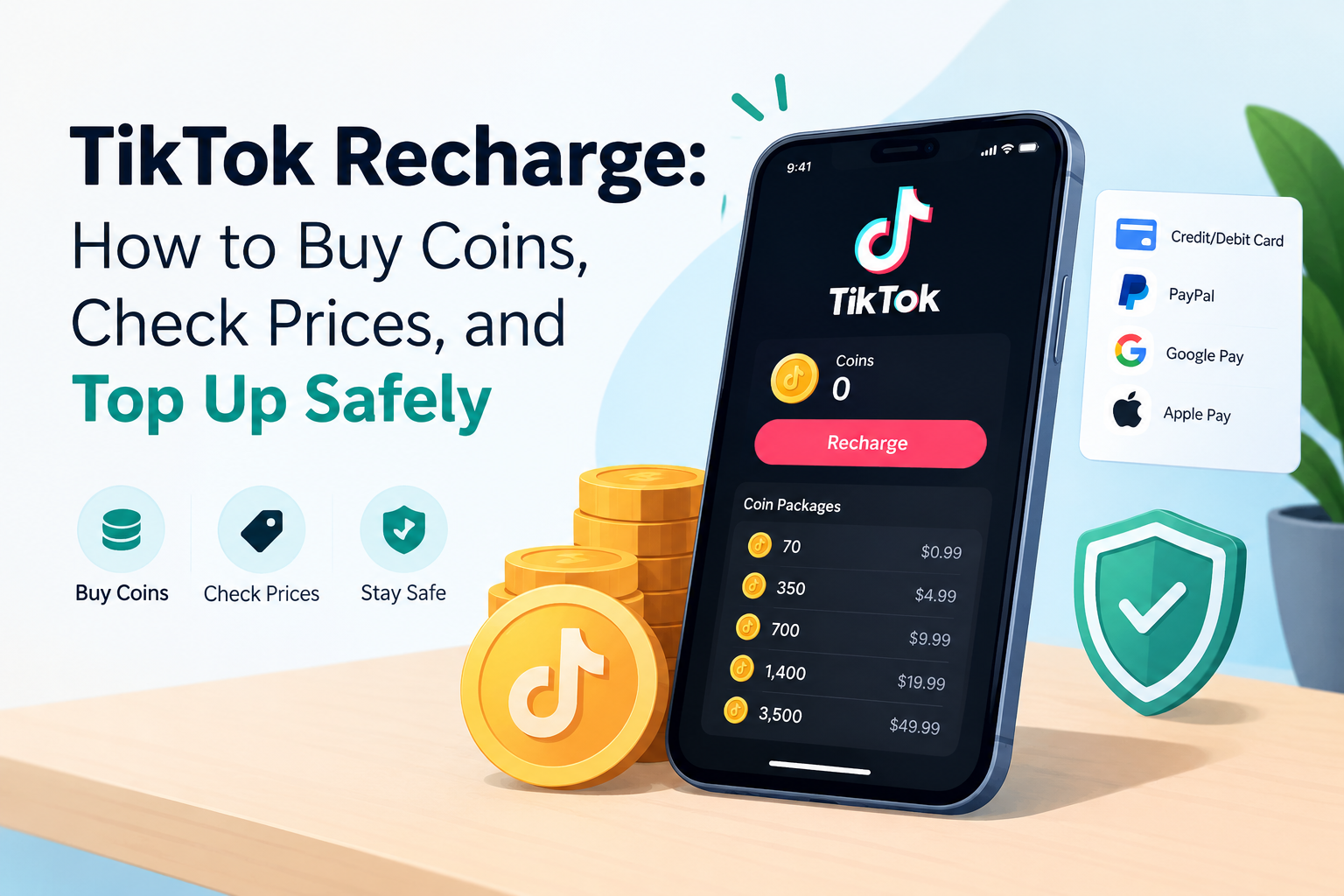

You open a LIVE stream, love what the creator is doing, and want to send a gift. Then you see your balance is empty. That is the moment most people search for a TikTok recharge.
The process is simple once you know where to go and what to avoid. This guide covers prices, steps, payment options, fixes for errors, and the scams that catch careless buyers.
TikTok Recharge Explained: What You Are Really Buying
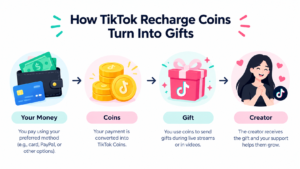
A TikTok recharge means buying virtual coins with real money. Those tiktok coins sit in your account balance and you spend them on gifts during LIVE videos or on creator content.
Coins are not cash and they do not move between accounts. You cannot send them to a friend, and you cannot sell them back.
Here are the basics worth knowing before you pay:
- Coins stay in your balance until you use them.
- If your account is banned, the coins in it are lost.
- You need to be 18 or older to send or receive gifts.
- Creators receive a share of what the gift is worth, not the full amount you paid.
TikTok Coins Recharge Prices in the USA: What to Expect
In the USA coins are about a cent each and TikTok sells coins in predetermined packages. Small packages are good for casual gifting, larger packages fit folks who gift often.
Bigger packages usually lower the cost per coin, but only slightly. Do not buy a huge bundle just because it looks like a deal.
The exact numbers change by country, platform, and promotion, so always read the price on the screen before you pay. This table shows what moves the price of a tiktok coins recharge:
| What changes the price | How it affects you |
| Where you buy (web or app) | App store fees can make in-app prices higher |
| Your country | Prices and package sizes differ by region |
| Package size | Larger bundles cost slightly less per coin |
| Promotions | Bonus coins appear only for some accounts, at some times |
| Bank charges | Foreign or currency fees may be added by your bank |
A cheap price means nothing if you pay it in the wrong place. Check the address bar first, then the price.
How to Recharge TikTok Coins on the Website, Step by Step
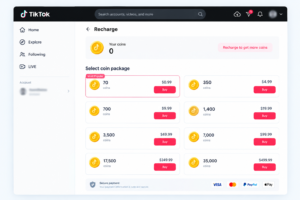
Looking for the best price to recharge TikTok coins? You should start with the official website at TikTok. No app store fees and your coins go into the same account you use on your phone.
Follow these steps:
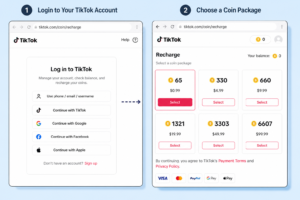
- Open tiktok.com/coin in any browser. Type the address yourself instead of tapping a link from a message.
- Log in with the same account you use in the app.
- Pick a coin package from the list.
- Choose your payment method.
- Confirm the payment and wait a moment.
- Open the TikTok app and check your balance.
Before you pay, look at the address bar and make sure it says tiktok.com. That one habit blocks most fake pages.
How to Recharge Coins on TikTok Inside the App
Sometimes you are on your phone and need coins right now. In that case, knowing how to recharge coins on TikTok inside the app saves time.
The path usually looks like this: open your Profile, tap the menu, go to Balance or Wallet, choose Recharge, pick a package, and pay. Menu names can change a little between app versions.
On phones, the payment is processed through Apple or Google billing. It is safe and simple, but can cost a little more than the web.
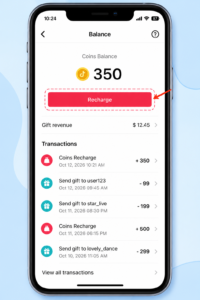
How to Recharge on TikTok: Web vs App Compared
Both methods work, and the right one depends on how you spend. Think about whether you plan ahead or buy on impulse.
| Feature | Website (tiktok.com/coin) | Mobile app |
| Typical price | Often lower | Often higher because of store fees |
| Speed | Fast, but needs a browser login | Fastest, one tap away |
| Payment options | Cards and wallets, varies by account | Apple or Google billing |
| Best for | Planned purchases | Quick top-ups |
My simple rule: if you gift every week, use the web. If you gift once in a while, the app is fine.
Payment Methods and Hidden Fees Before You Recharge TikTok
The price on the checkout page is not always what leaves your bank account. Your card issuer can add its own charges on top.
Watch out for these:
- Foreign transaction fees: charged when the payment is processed outside your home country.
- Currency conversion fees: charged when you pay in a currency your card does not use.
- Prepaid or gift cards: useful if you want a spending limit, but they can cost slightly more per coin.
Cards, Apple Pay, and Google Pay are the most common choices for a TikTok coin recharge. Other options depend on your region and account, so check the payment step before you plan around one.
Why Can’t You Recharge on TikTok? Common Causes and Fixes
If you keep asking yourself why can’t I recharge on TikTok, the cause is usually small. Work through the list below from top to bottom.
Your payment was declined
Always verify the card limit, billing address and approval message from your bank. It’s common for declines to happen when the bank blocks an online purchase that it doesn’t recognise.
The recharge option is missing
Update the app and try again. In some regions or age groups, the option is restricted.
Coins did not show up after payment
Wait a few minutes, then close and reopen the app. Check your email for a receipt, because it proves the purchase went through.
Your account has a restriction
Policy violations can limit purchases. Contact TikTok support inside the app and ask what is blocking the account.
A browser problem is in the way
Try a different browser or turn off extensions that block pop-ups. Payment windows sometimes fail for this reason.
How to Recharge TikTok Coins for Free: The Honest Answer
Every day, people are looking for ways to get free TikTok coins recharge, the honest answer is there is no secure way. When anyone pays coins are minted.
Every coin generator, survey, and “verification” page is after something from you. Usually it is your password, your card details, or your personal data.
The only real exception is an official promotion that appears inside your own account or on the official coin page. It never asks you to install an app or enter a login code.
TikTok Recharge Coins Scams and Risky Sellers
The cheapest price is typically the costliest error. One common trap is sellers promising reduced tiktok recharge coins via a chat app.
Here are the red flags:
- They ask for your password or a login code.
- They claim they can “transfer” coins to you.
- They want payment only through a messaging app.
- Their link leads to a lookalike website.
- You get no receipt, only a screenshot.
If a seller needs your password, you are not buying coins. You are handing over your account.
Purchases made outside official channels are not covered by a TikTok refund. And if you dispute a payment with your bank, TikTok can suspend your account or your access to virtual items.
The safest routes are the official website, the in-app recharge, and payment methods you control yourself.
Image note: A warning-style graphic with a red flag icon and the five signs. Alt text: tiktok coins recharge scam warning signs.
Recargar TikTok y Comprar Monedas TikTok: Guía Rápida
Si quieres recargar TikTok desde Estados Unidos o Latinoamérica, usa solo la página oficial tiktok.com/coin. Allí puedes comprar monedas TikTok con tu tarjeta y ver el precio antes de pagar.
Las monedas de TikTok llegan a tu cuenta casi al instante. Nunca compartas tu contraseña con vendedores que prometen monedas baratas.
Final Thoughts on Your Next TikTok Recharge
A good TikTok recharge comes down to three habits. Buy on the official page, compare web and app prices, and never share your login with anyone.
If a payment fails, work through the fixes above before you try again. And if you want more simple tech guides like this one, keep reading on techfynix.com.
